IBAM Solutions · Enhanced Messaging Widget
The front door for
your AI agent.
Before AI agents, knowledge base, and human escalations — there's the widget. A fully branded multi-tab experience on your Zendesk. Step one in a stack that resolves up to 84 of 100 contacts before they reach a human.
14-day free trial · Cancel anytime
The support stack, explained
Step 1 before AI:
content first, then intelligence.
Most AI support failures aren't AI failures — they're content failures. The widget and your knowledge base are step one. Up to 84 of 100 customer contacts never reach a human when the stack is right.
Widget + knowledge
Self-serve answers surface before customers even think about contacting you. This is where most contacts resolve.
~60–84 of 100 contacts resolved here
AI agent
For contacts that need dialogue — an AI agent with access to your knowledge base handles the conversation.
Next layer
APIs & automations
Order lookups, ticket routing, CRM updates — automated flows handle structured requests without human input.
Structured requests
Humans
Only complex, high-value or emotional conversations reach your agents — who can now focus on what matters.
The last resort
The Enhanced Messaging Widget is step one in this chain — your branded self-serve layer that intercepts contacts before they need AI, automation, or a human.
Everything included
One widget. Every interaction.
Five tabs, fully configurable. Each one a different touchpoint — all inside a single branded widget on your site.
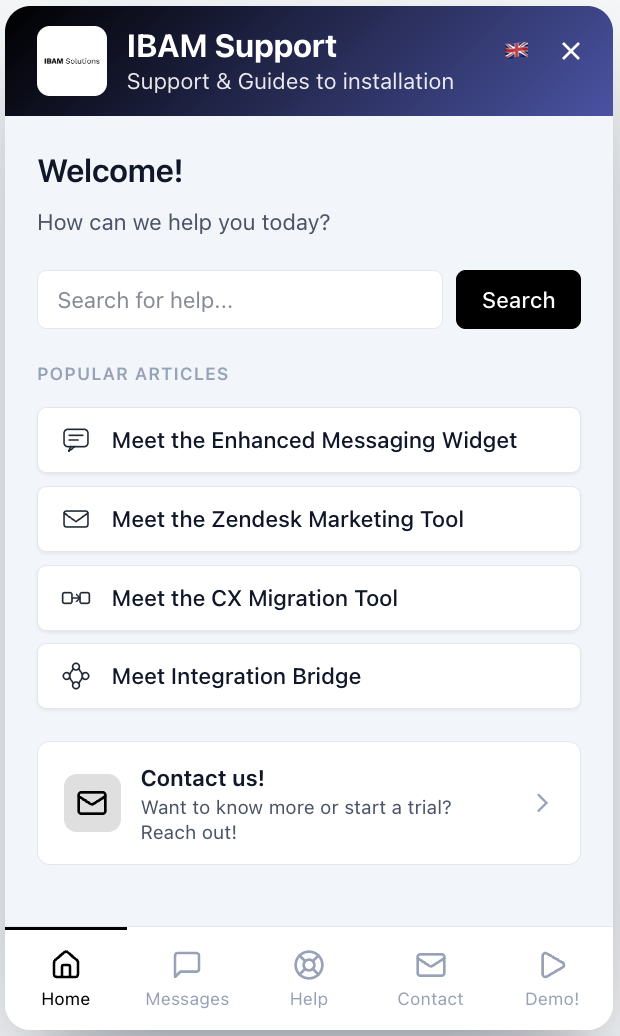
Home Tab
Your brand. Front and center.
The Home tab is the first thing your customers see — a fully branded welcome screen with your logo, a search bar, and popular articles. No generic Zendesk look. Just your brand.
- Custom header title, subtitle & logo
- Popular articles surfaced automatically
- Quick shortcut to start a conversation
- Choose from 5 built-in themes with dark mode support
Messages Tab
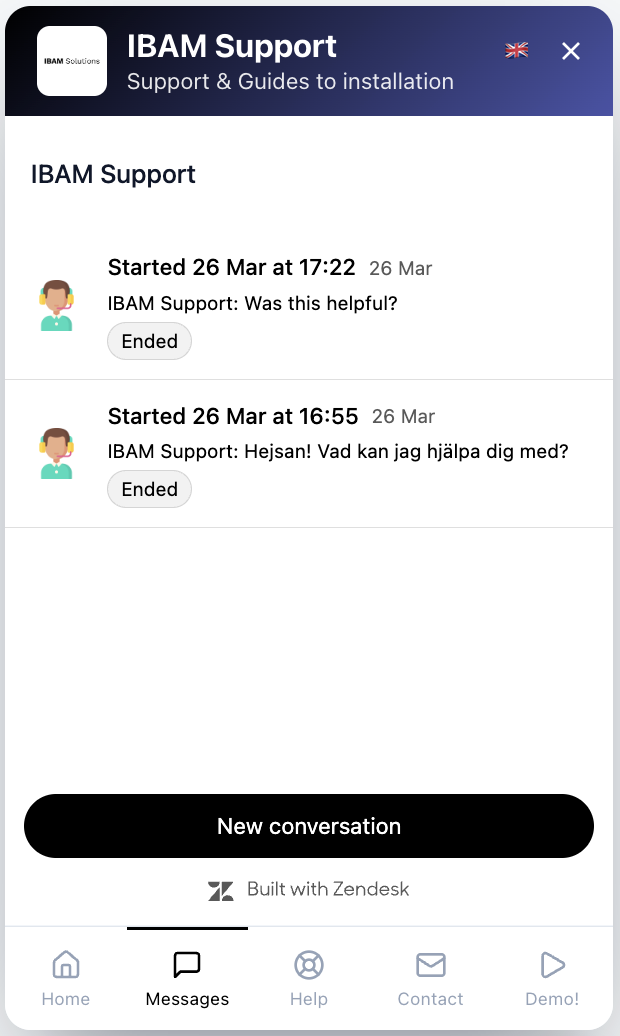
Real conversations. Without leaving your site.
The Messages tab embeds native Zendesk Messaging — bot flows, live agents, conversation history. Everything your team already uses, in a place customers actually find.
- Real-time chat with agents
- Bot flows and automation
- Conversation history across sessions
- Offline message capture
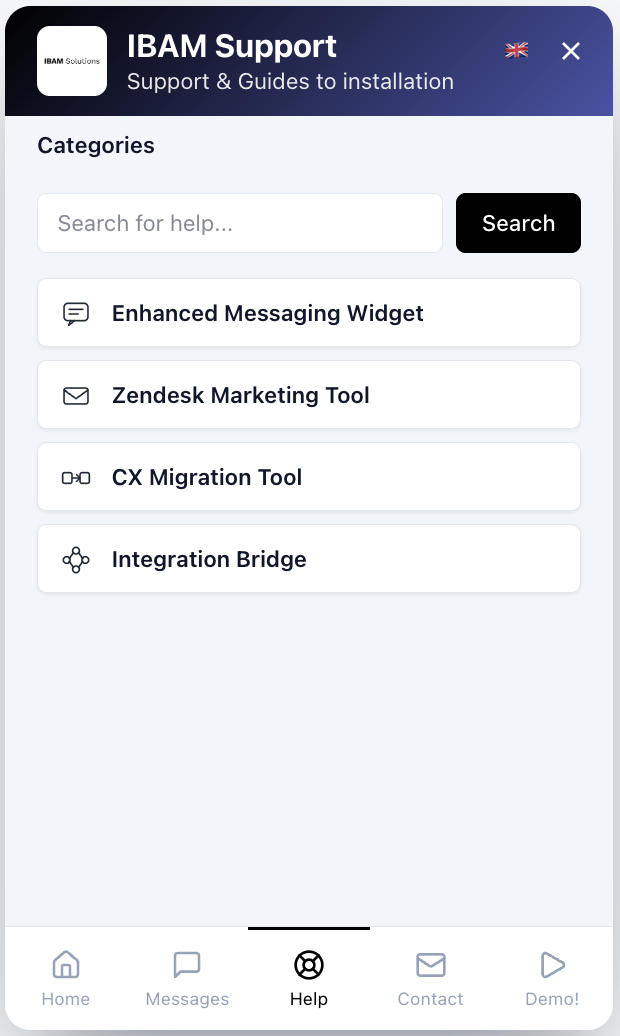
Help Tab
Self-serve first. Fewer tickets.
The Help tab puts your entire Help Center inside the widget. Customers browse categories, search articles, and find answers — without ever opening a ticket or picking up the phone.
- Browse categories, sections & articles
- Full help center search built in
- Expands to 640px for comfortable reading
- Deep-link to specific articles from any tab
Contact Tab
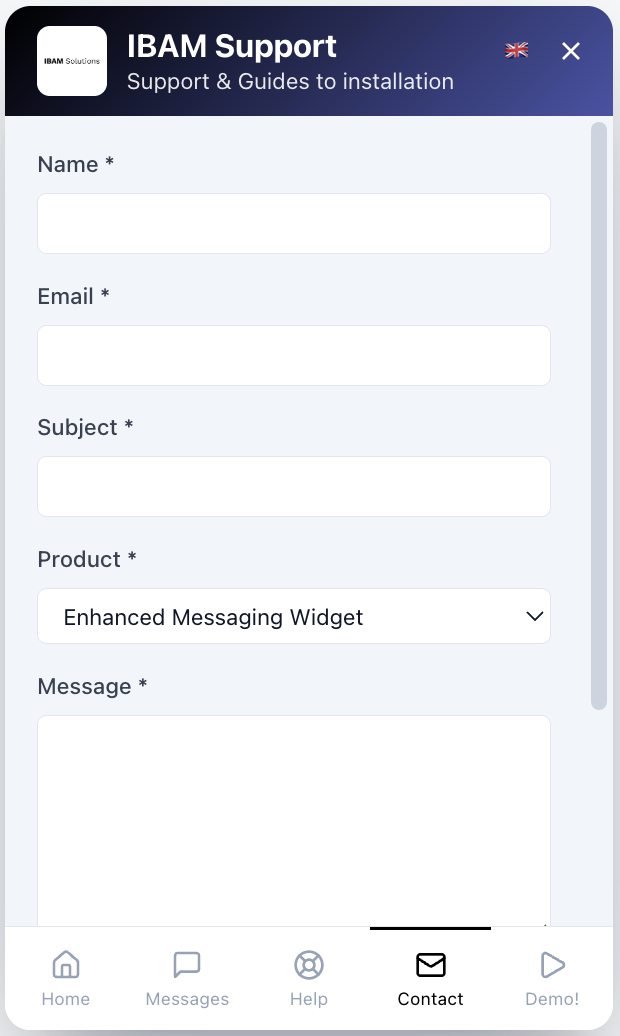
Less back-and-forth. Better tickets.
Custom contact forms give agents everything they need before the conversation starts. Route to the right team automatically. No follow-up questions, no wasted time.
- Fully custom fields per form
- Auto-routing via ticket tags
- Override form per page with Page Rules
- Works alongside live messaging
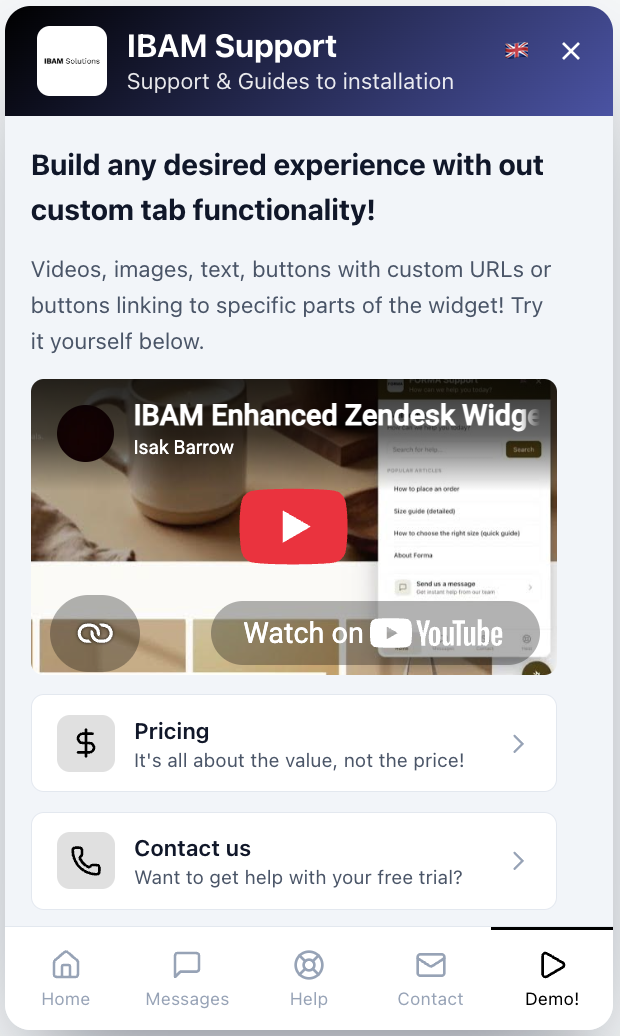
Custom Tabs
Build any experience — no code needed.
Custom tabs let you turn the widget into anything: a hiring page, a product launch, a promotion, an onboarding video. Drag-and-drop blocks, deep-links, and Page Rules per URL — same widget, infinite possibilities.
- Block builder — text, video, images, buttons
- Deep-link to specific Help Center articles
- Override content per URL with Page Rules
- Show a Hiring tab, a Promotions tab, anything
Page Rules
Different page.
Different experience.
Show a different teaser on your pricing page. Pre-open an article on checkout. Change colors per product line. The widget adapts to where the customer is — without touching the embed code.
- Override widget content per URL
- Pre-open specific tabs or articles
- Change teaser text per page
- Show different contact forms per product
- Trigger custom tabs on specific pages
- One embed code. Infinite configurations.
Simple pricing
Pick your plan
Per-agent pricing. No hidden fees. All plans include a 14-day free trial.
12 months for the price of 10. Prefer to pay by invoice? Contact us.
Starter
Perfect for getting started with a branded widget.
billed annually ($120 / agent / year)
- 1 custom widget
- Custom colors, logo & branding
- Welcome page with search & articles
- Integrated help center
- Contact form
- Multi-language support
- AI-powered translation
Pro
Everything in Starter, plus multiple widgets and custom content.
billed annually ($180 / agent / year)
- Everything in Starter
- Up to 3 widgets
- Page rules (max 5 per widget)
- Custom tabs with block builder
- Home cards
- Custom icons
Enterprise
Everything in Pro, plus advanced rules, analytics and user segmentation.
billed annually ($300 / agent / year)
- Everything in Pro
- Up to 10 widgets
- Page rules (unlimited)
- Analytics dashboard
- Deep links
- Authenticated users & User segments
- Cross-domain session continuity
- Priority support
Enterprise+
For large organizations with 50 or more agents.
50+ agents · tailored quote
- Everything in Enterprise
- Volume pricing from 50 agents
- Custom quote for your organization
- Invoice billing available
14-day free trial · Cancel anytime · Upgrade or downgrade at any time
No excuses, just results
Why teams choose IBAM
5-Minute Setup
Install from Zendesk Marketplace, customize your brand, go live. No developers needed.
Zero Performance Impact
Lazy-loaded and lightweight. Your site speed stays completely unaffected.
14-Day Free Trial
Full access for 14 days. We're confident you'll love it.
Get started
Ready to get started?
Install the Enhanced Messaging Widget from Zendesk Marketplace, or reach out if you have questions.